
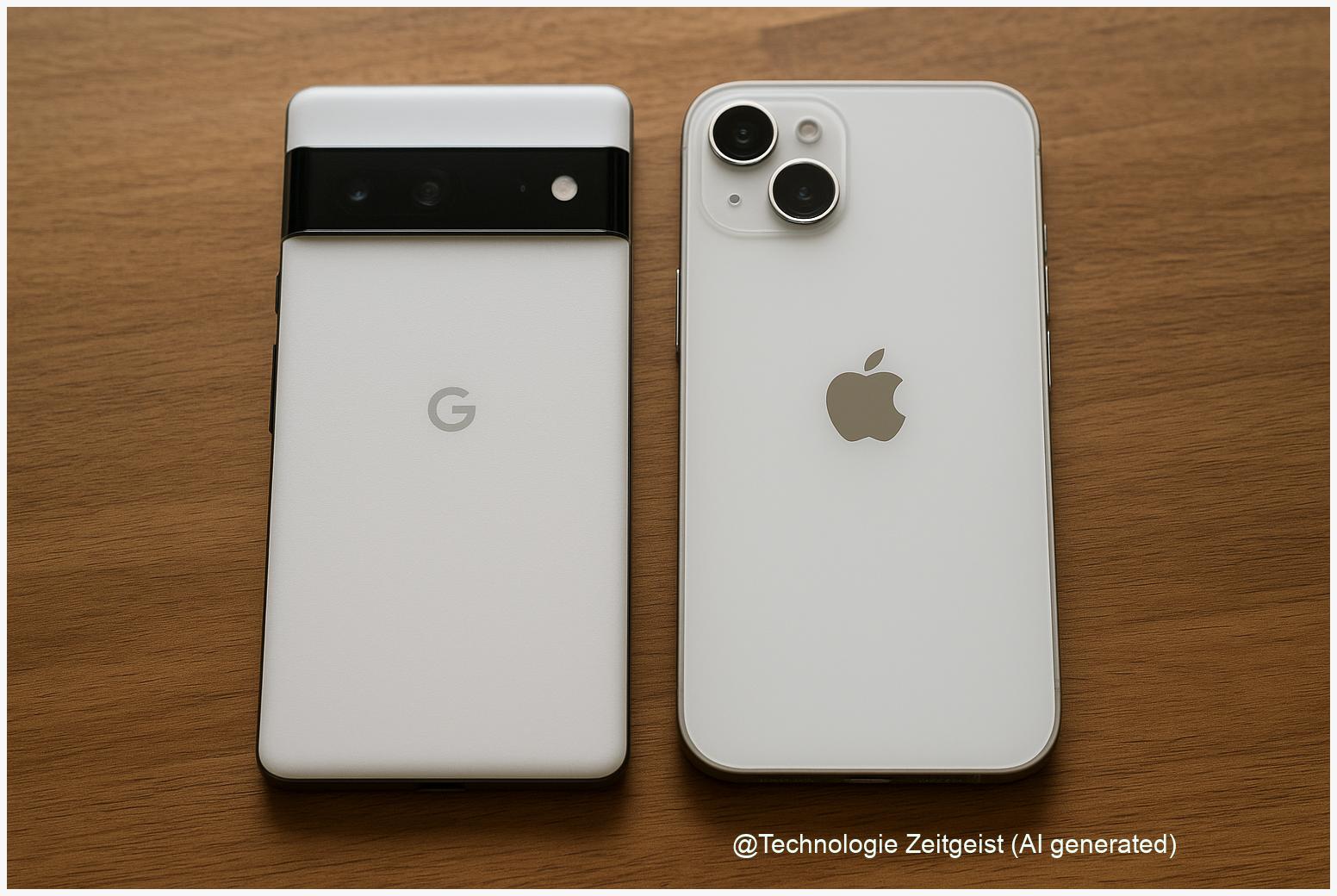
Choosing between a Pixel and an iPhone often feels like a bet on two different universes. The Pixel vs iPhone comparison shows that many everyday benefits — camera results, battery behaviour, app choice, and update promises — are closer than you expect. This short guide highlights the similarities that matter for buyers in 2025 and helps you weigh ecosystem needs, camera preferences, and long-term software support without getting lost in specs.
Introduction
Many buyers start by comparing numbers: megapixels, screen refresh rates, milliamp-hours. Those figures help, but they miss the practical point. Most people use their phone for a handful of repeated tasks — photos of family, short videos, messages with friends, maps and quick web searches — and for those tasks Pixels and iPhones now behave very similarly in daily life.
When you open the camera app, switch apps, or accept a software update, the difference you notice usually comes from software decisions: image processing style, privacy defaults, and how tightly the phone connects to other devices and services. That is why a Pixel vs iPhone comparison focused on similarities — not just differences — gives better guidance for long-term satisfaction. Below, the article examines those shared features, shows how they map to concrete choices, and points out the practical tensions you should weigh when buying a new phone in 2025.
Pixel vs iPhone comparison: core similarities
The first surprising fact: hardware and software trends have converged. Both platforms use advanced image-processing pipelines, on‑device AI for some features, and more powerful batteries plus adaptive charging to extend lifespan. Manufacturers also promote multi-year software support and regular security patches — although the exact duration varies by maker and model. What that means for buyers is straightforward: on many daily measures — photo quality in good light, screen smoothness, and basic app performance — current Pixel and iPhone models offer comparable experiences.
Differences often matter most in edge cases (low light, prolonged video recording, or when you rely on a single proprietary service), not in routine use.
To make this concrete, the small table below summarizes typical feature areas where users expect differences and where the real-world gap has shrunk in recent years.
| Feature | How both perform | Typical buyer impact |
|---|---|---|
| Camera (daylight) | Very close: both produce clean, detailed images | Most users will be satisfied; choose on color/style preference |
| Software updates | Regular security patches on both; Apple often promises longer major‑release support | Longer support favors owners who keep devices 4+ years |
| Ecosystem features | Both link closely to their services (Google vs Apple); cross‑platform apps are similar | Decide by which services (messaging, cloud storage) you use most |
These convergences reduce the number of absolute deal‑breakers. That is helpful, because it lets you choose a phone mainly by lifestyle signals: whether you prefer Google’s search and assistant features, or deeper continuity across Apple devices. Either way, expect a high-quality base experience from a current Pixel or iPhone model in 2025.
How these similarities show up in everyday use
Take taking photos. For many people, the camera app is the phone’s most-used feature. Both Pixels and iPhones now combine multi-lens hardware with computational photography: the raw sensor capture is just the start; the software fuses exposures, reduces noise, and adjusts tonality. In daylight, that process often yields very similar results. Differences become visible when you compare a large number of shots side by side, and even then preferences are subjective — one system may render skin tones slightly warmer, the other slightly cooler.
Battery behaviour is another everyday example. Modern phones use adaptive charging and smarter background scheduling to offer more consistent real‑world endurance than raw mAh numbers suggest. In practice, usage patterns (screen brightness, app habits, background location services) determine which device lasts longer in a day. That means two people with different habits can reach opposite conclusions about which phone has better battery life.
App choice and performance also converge. Popular third‑party apps run on both systems with near-parity; major social apps, streaming services, and productivity tools are optimized for both iOS and Android. On the performance side, high-end Pixels and iPhones ship with capable processors; for everyday tasks like browsing, navigation, video calls and social posting, both feel fast. The distinctions that remain — like micro-lags under extreme multitasking or raw benchmark numbers — are rarely decisive for typical users.
Finally, small conveniences align: more models offer wireless charging, water resistance, and reliable biometrics (face or fingerprint). That consistency lifts the whole experience: the question is less whether a phone can perform a task and more how it fits the rest of your digital life.
What this means for camera, battery and software choices
If you choose by camera, think in scenarios rather than raw numbers. For example, if you take many low-light portraits you should compare models with side‑by‑side night and portrait shots. Lab benchmarks (e.g., sensor dynamic range or low-light ISO) can help, but they do not replace hands-on comparison for skin tones, highlight handling, or video stabilisation. The research community and reviewers such as DXOMARK, AnandTech and some media outlets often report that the absolute scores of recent Pixel and iPhone flagships are close, while differences show up in colour science and motion handling.
For battery and longevity, two practical steps help: test a phone in the conditions you use most (streaming, navigation, or heavy social app use) and check the manufacturer’s update promise. Apple has historically offered around five to seven years of iOS updates for many iPhone models; Google’s Pixel support improved and commonly covers several years of OS and security updates plus periodic “Feature Drops.” Longer update commitments matter most when you keep a phone for four years or more, because they affect security and app compatibility over time.
Software choices also affect daily friction. If you heavily rely on services like iMessage, FaceTime and device continuity (handing tasks to a laptop or tablet), an iPhone keeps that workflow tight. If you value Google’s search, Assistant, and a deeper on‑device integration of AI features (live transcription, real‑time translation), Pixel often has an advantage. Both ecosystems continue to add privacy controls, local AI processing, and tighter encryption defaults — so your decision is more about which trade-offs you prefer than about capability gaps.
In short: align the technical strengths with your real habits. If you rarely interact with another device ecosystem, you will likely be satisfied with either platform; if you work across devices daily, the ecosystem tilt becomes decisive.
Where the two paths may still diverge in the next years
Looking ahead, a few tensions will remain and may widen or shrink depending on product decisions. One is software longevity: Apple’s historically longer major‑release support gives it an edge for multi‑year owners, while Google’s approach of combining OS updates with periodic Feature Drops spreads functionality across device generations in a different way. Regulation in Europe and elsewhere may also push both companies to change how they share data or allow third‑party app stores — that could affect choice dynamics for users sensitive to app availability and pricing.
AI integration is another area to watch. Both companies are investing in on-device AI — but the emphasis differs: Google ties AI deeply to search and assistant capabilities, while Apple focuses AI on device privacy and selective feature sets. That will shape experiences such as composing messages, real-time transcription, and photo editing. The practical effect for most users will be a steady stream of incremental improvements rather than a single defining feature.
Finally, price and trade-in policies shape real affordability. Pixel models often undercut flagship iPhone prices or offer aggressive mid-range choices with strong software features. Apple’s resale value and trade-in ecosystem can lower the effective cost of upgrades, which matters if you prefer frequent device refresh cycles. For buyers who keep a phone longer, the effective cost per year becomes a useful metric to compare.
So while the core experience will stay similar for many tasks, ecosystem posture, update philosophy and pricing will determine which device is the better fit for your habits over several years.
Conclusion
Pixels and iPhones are closer than many assume on practical everyday measures: daytime photos, app performance, battery behaviour for typical usage, and feature sets such as wireless charging or biometrics. The decisive differences for most buyers are not raw performance figures but ecosystem fit, the software update horizon, and small but meaningful stylistic choices in how images and interfaces behave. If you value tight continuity with other devices and longer explicit major‑release support, an iPhone often makes sense. If you prioritise Google services, early access to on‑device AI features, or slightly more aggressive pricing, a Pixel will appeal. Either way, run a short hands‑on test with the camera and services you use daily — that will reveal what matters for you personally and reduce buyer’s regret.
Join the conversation: tell us which phone habits matter most to you and share this article with friends who are choosing their next phone.




Leave a Reply