
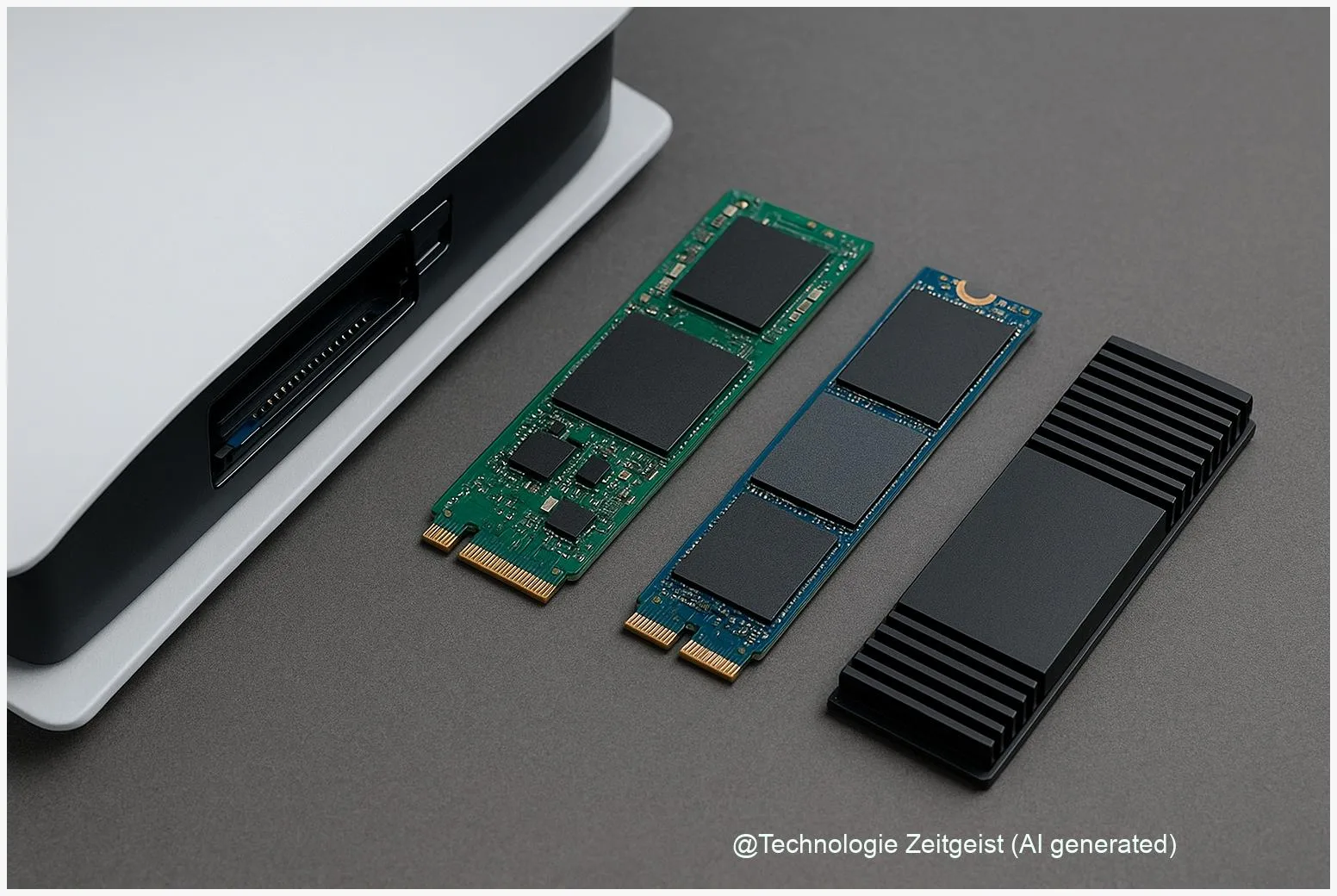
Running out of space on a PS5 is common; choosing the best SSDs for PS5 2026 helps you store more games and keep load times low. This guide focuses on compatible M.2 NVMe PCIe Gen4 x4 drives that meet Sony’s size and thermal rules, and it highlights four reliable models—Samsung 990 Pro, WD Black SN850X, Seagate FireCuda 530 and Crucial T700—plus practical advice on capacity, cooling and longevity.
Introduction
Many PS5 owners reach a point where the internal drive is full: triple‑A titles alone can exceed 100 GB, and frequent updates add up. Choosing the right SSD is not only about raw speed numbers; the console expects a specific interface, fits in a narrow bay, and needs a thermal solution that prevents throttling during long sessions. The decision you make affects how many games you can keep instantly available, how often you wait at loading screens, and how safe your save files remain during long downloads and installs.
This article prioritizes durable, Sony‑compatible M.2 NVMe SSD options for 2026 and explains the technical constraints in everyday terms. It also compares practical outcomes—real load‑time differences, heat and sustained performance—so you can choose the right capacity and model without getting lost in marketing numbers.
PS5 SSD fundamentals: what the console requires
The PS5 accepts M.2 NVMe drives that use PCIe Gen4 x4. That means the SSD connects in the same form factor used in modern laptops and desktops, and it uses the fourth generation of the PCI Express communication standard with four lanes of data transfer. For games, Sony recommends models with strong sequential read performance—around 5,500 MB/s has been the commonly cited baseline—because large game assets are streamed into memory in big blocks.
Mechanically, the console requires specific M.2 lengths (2230, 2242, 2260, 2280 are standard). The PS5 also limits the combined height of the SSD plus any heatsink or thermal pad inside the expansion slot—many community measurements put that maximum near 11.25 mm, so check the latest PlayStation support notes before buying. Sony’s official guidance dates from an earlier rollout (2021) and remains the baseline; verify any firmware updates or clarifications on the PlayStation support page before purchase.
An SSD’s peak MB/s number is helpful, but thermal behaviour and sustained performance determine how the drive performs during long installs or heavy I/O in games.
Here are the essential technical items at a glance:
| Feature | Description | Value |
|---|---|---|
| Interface | Protocol the PS5 requires | PCIe Gen4 x4 NVMe |
| Recommended sequential read | Practical baseline used by many reviewers and Sony guidance | around 5,500 MB/s |
Two short takeaways: always confirm the physical height of any added heatsink against Sony’s limit, and prefer drives with good sustained write behavior and thermal design rather than chasing a slightly higher peak read number.
Best SSDs for PS5 2026: top picks and what to expect
By the end of 2025 several consumer PCIe 4 NVMe drives emerged as sensible choices for PS5 upgrades. They combine the interface compatibility and the sustained performance that matter in practice. Shortlist candidates include Samsung 990 Pro, WD Black SN850X, Seagate FireCuda 530 and Crucial T700. Each has strengths worth considering.
Samsung 990 Pro: strong all‑rounder with a proven controller and consistent firmware updates. It balances high sequential read numbers with solid thermal efficiency in many real‑world tests.
WD Black SN850X: tuned for gaming workloads, often offers good peak numbers and low latency. Several SN850X variants performed well in PS5‑focused reviews and were broadly compatible with the console’s requirements.
Seagate FireCuda 530: noted for sustained write performance and endurance ratings, which helps if you stream or move large amounts of data frequently.
Crucial T700: a modern contender that delivers competitive speeds at often attractive prices, making it a reasonable alternative when stock or price swings affect the others.
Practical advice on capacity and choice: 1–2 TB is the sweet spot for most owners—big enough for several large titles and future updates, while keeping price and TBW (total bytes written) reasonable. Drives larger than 2 TB exist, but they are more expensive and offer diminishing returns for most players.
How much faster will the best drive feel? In many games the difference between high‑end PCIe 4 SSDs is modest; some titles show only small percent improvements in load times. The bigger benefits are fewer texture pop‑ins, steadier performance in long play sessions, and reduced risk of thermal throttling when the SSD has a suitable heatsink. Prioritise verified PS5 compatibility and sustained performance over headline MB/s figures.
Installing and using an SSD on PS5: practical steps
Installing a compatible SSD in a PS5 is straightforward if you prepare. Before opening the console, update the PS5 system software and back up important save data to cloud storage or a USB drive. Make sure you have a compatible screw or the small standoff used for M.2 modules; many kits include them with a heatsink.
Key points during installation: power down the PS5 and unplug it, remove the cover for the expansion bay, fit the SSD into the M.2 slot at an angle and secure it with the standoff, then attach a heatsink or use an SSD with a low‑profile, PS5‑compatible cooler. After reassembly, the PS5 will format the drive the first time it is used and prepare it for game installs. The console’s menus guide you through the process.
On cooling: a thin, PS5‑sized heatsink is often necessary. Some manufacturers sell compatible heatsink kits sized for the PS5 bay; others provide low‑profile or removable solutions. If you use a third‑party heatsink, confirm the combined height (SSD plus heatsink) does not exceed Sony’s allowance.
After installation, move a couple of games and run a few sessions. If you observe unusually long load spikes or stuttering, check whether the SSD becomes hot—excessive temperature can trigger the drive to throttle and reduce sustained throughput. Most quality drives maintain good performance when paired with proper thermal management.
Risks, reliability and when to upgrade
Upgrading storage carries a few risks that are easy to manage. First, compatibility: firmware updates or new PS5 system software can change behaviour, so verify compatibility with Sony’s support page and recent community/technical reviews before buying. Second, thermal throttling: insufficient cooling reduces sustained speeds and can erase the practical benefit of a faster drive.
Longevity matters. Manufacturers publish TBW figures and warranty terms; a higher TBW generally indicates better endurance for writes over years of heavy use. If you move or reinstall lots of games frequently, prefer higher‑end drives with stronger warranties.
Data safety: keep regular backups of saves (cloud saves with PlayStation Plus or manual USB backups). While SSD failure is uncommon, it is not impossible; backups protect progress when drives fail or when reformatting is needed after troubleshooting.
When to upgrade: choose an upgrade when you hit storage limits frequently, when load times noticeably interrupt play, or when a new library of larger titles makes the console’s internal drive impractical. For most players the best balance in 2026 remains a 1–2 TB PCIe 4 NVMe SSD with a verified heatsink solution.
Conclusion
PS5 SSD upgrades in 2026 are less about chasing the absolute highest MB/s rating and more about matching Sony’s interface and mechanical rules, choosing a drive with reliable sustained performance, and ensuring proper cooling inside the console. The Samsung 990 Pro, WD Black SN850X, Seagate FireCuda 530 and Crucial T700 are all sensible candidates depending on price, endurance and availability. For most users a 1–2 TB PCIe 4 NVMe SSD with a PS5‑compatible heatsink will deliver the best mix of space, stability and value.
Share your experience: tell other readers which SSD you chose for your PS5 and why—it helps others decide.




Leave a Reply